Quick answer
Use C4 to explain a software system, its boundaries, and its major building blocks. Use UML to describe specific structures, interactions, behaviors, and deployment details. They complement each other: start with the architectural question, then choose the view that answers it.
What is the difference between C4 and UML?
C4 organizes architectural explanations around systems, containers, components, and code. UML provides a visual language with different diagram types for structural and behavioral modeling. Neither requires you to draw every possible diagram: choose the detail your audience needs.
| Question you need to answer | Useful starting point | What to show |
|---|---|---|
| Who uses our system and what does it depend on? | C4 system context | People, the system boundary, external systems and relationships |
| What applications and data stores make up the system? | C4 container | Applications, services, data stores and their responsibilities |
| How is one application organized internally? | C4 component | Major internal responsibilities and dependencies |
| Which classes and relationships implement a design? | UML class | Classifiers, attributes, operations and relationships |
| What happens during a request? | UML sequence | Participants, messages, conditions and interaction ordering |
| Which states can an entity enter? | UML state machine | States, events, transitions and behaviors |
| How does a workflow branch or run in parallel? | UML activity | Actions, decisions, flows and synchronization |
Read the official C4 model introduction and the OMG UML specification for the underlying approaches. UXXU's fourteen UML guides explain individual diagram types with examples.
How do C4 and UML work together in UXXU?
Start with connected C4 views to establish the system context. Reuse C4 elements across views and navigate into more detail. Add UML diagrams where a design question needs more precise visual explanation.
UXXU's C4 views share architecture elements. UML visual authoring is a separate capability: do not assume a UML class is automatically linked to a C4 component or synchronized across diagrams. UML semantic validation and executable simulation are not part of the visual-authoring scope. Check the UML release overview for availability before selecting an installer.
Example: documenting an order service
- Draw a C4 context view showing the customer, commerce system, and payment provider.
- Add a container view showing the web application, order service, and database.
- Use a UML class diagram to explain Order, OrderLine, Customer, and Product.
- Use a sequence diagram to describe submitting an order and handling a payment response.
- Add a state machine if the allowed order states and transitions need explicit discussion.
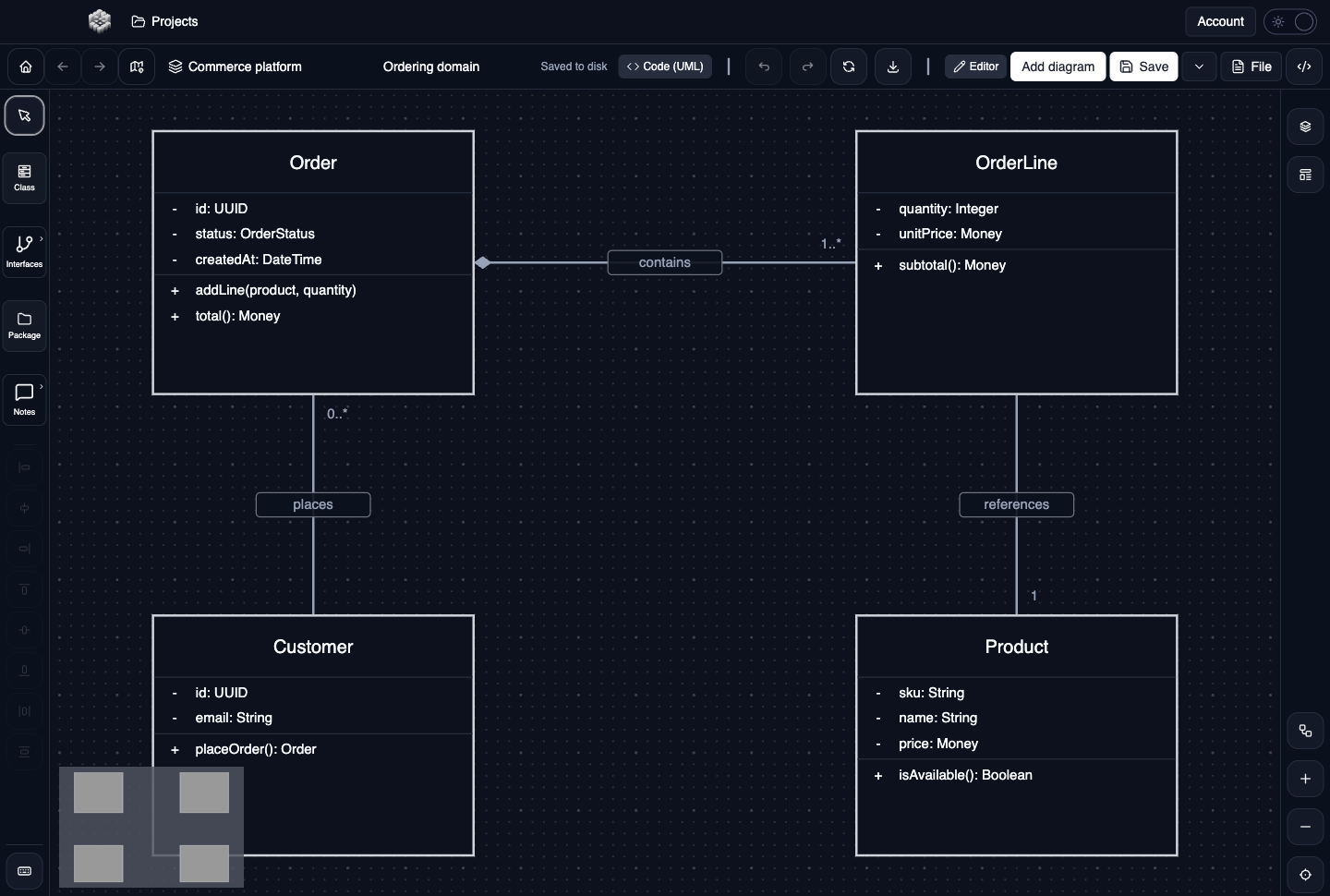
This UXXU example explains design structure. For notation and editing steps, open the class diagram guide. For the request flow, use the sequence diagram guide.
How can AI help with architecture documentation?
An assistant can discuss your architecture more usefully when it can read the relevant project context rather than infer the whole system from a picture. UXXU MCP provides an API-key connection for compatible clients to inspect projects and work with C4 models, subject to the permissions you grant.
Start with a question such as: “Which systems depend on this service, and what information is missing from our model?” Ask the assistant to distinguish recorded facts from assumptions. When you want edits, grant the necessary permissions and review the results in UXXU.
The assistant's conclusions depend on the completeness of your model and the code or documents you make available to it. A generated diagram is not proof that an implementation behaves as shown. The MCP connection is also not a promise that every UML notation can be edited by an agent.
Follow the AI assistant connection guide for current API-key setup. Automatic OAuth onboarding and public marketplace distribution are separate release steps; API-key instructions should not be read as confirmation that those flows are available in every client.
Should I use desktop or cloud?
Use desktop when you need a local architecture workspace; use cloud projects for shared work. Free cloud use includes one user and up to 400 architecture items. Desktop local viewing is free, while local editing requires an active licence. See current pricing and licence details before choosing a plan, and desktop downloads for supported packages.
Common mistakes to avoid
- Drawing every diagram type instead of answering a specific architectural question.
- Treating a C4 container as necessarily a Docker container; it represents an application or data store in the C4 model.
- Assuming a design diagram guarantees implementation or semantic correctness.
- Giving an assistant write permissions before checking what it can read and what changes you want.
- Letting diagrams become outdated while continuing to use them as evidence for decisions.
Where should I start?
Start with a C4 context diagram and one concrete question that needs more detail. Choose a UML view from the diagram guide collection, then review the model with your team. When the model contains useful context, connect an assistant through the MCP setup guide to help explore it.