What is a UML timing diagram?
A UML timing diagram shows changes in states or values against an explicit time axis. It helps explain timing relationships, observations and duration constraints.
The question this diagram answers: How do states or values change against an explicit time axis?
Explore all 14 UML diagram types. Interaction diagrams are a specialized subset of UML behavior diagrams.
When to use a timing diagram
Use a timing diagram when deadlines, duration or coordination over time are central to the discussion. It is useful for protocols, devices and performance scenarios where relative timing needs to be visible.
Main elements and notation
Timeline
A participant trace shows state or value changes along a time axis. Define units so readers can interpret the scale.
State and value samples
Samples establish values at times and the transitions between them. A continuous trace can communicate a varying quantity.
Unknown and any intervals
An unknown interval leaves the value unspecified; an any-state interval does not constrain it to one named state. Explain the intent where readers may confuse the two.
Message
A message connects occurrences on traces. Its endpoints should match the intended event times.
Observations
Time observations name instants; duration observations name elapsed intervals.
Constraints
A time constraint restricts an instant; a duration constraint restricts elapsed time between selected occurrences, including across timelines.
A real example in UXXU
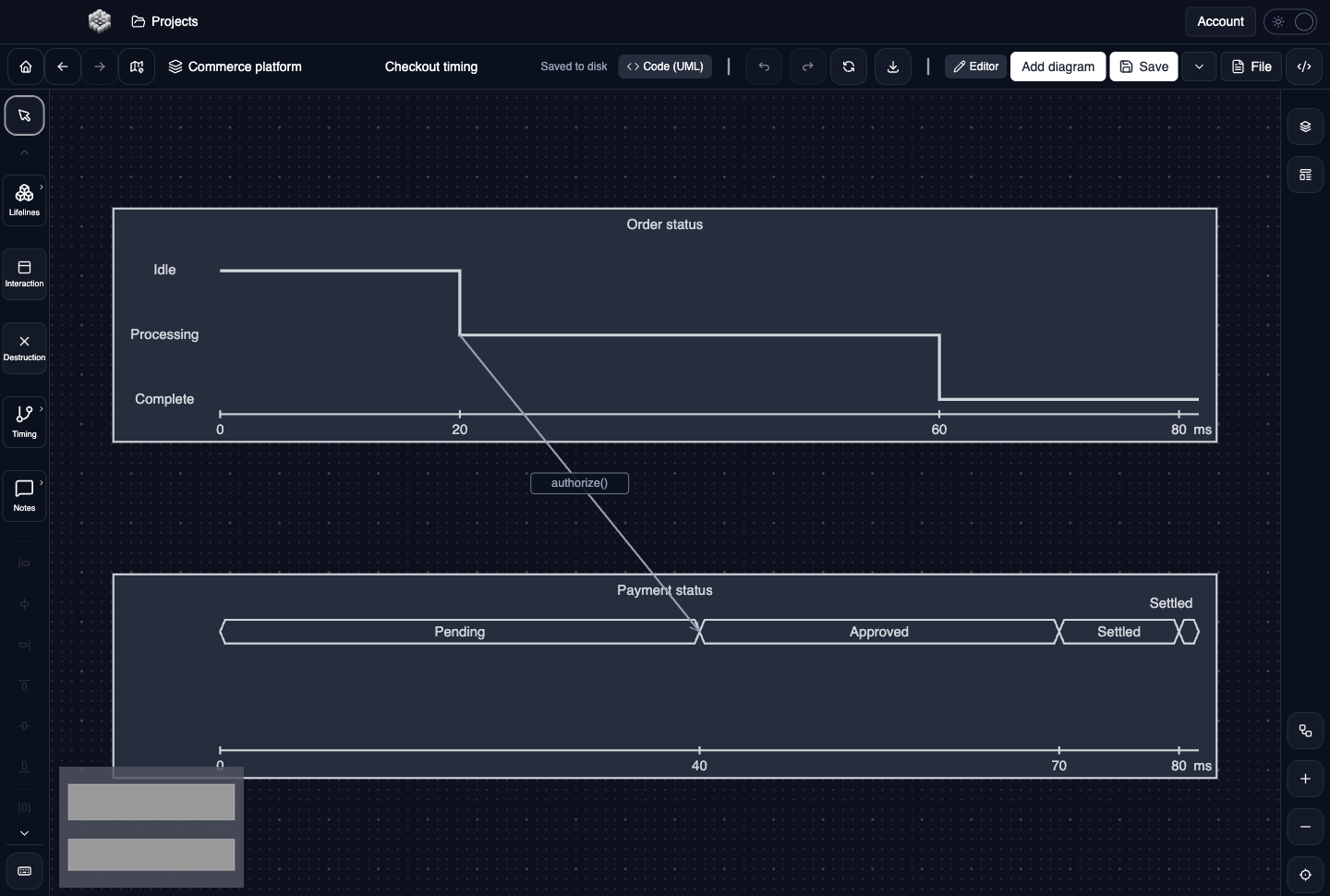
Actual UXXU Desktop screenshot of an illustrative commerce project. Open the full-size example.
The order and payment timelines show when processing, authorization and settlement occur. Follow the authorization message between the traces and compare the corresponding sample times. The sample provides a basis for discussing timing requirements, not a measured production trace.
Draw it in UXXU
Open an editable project, add a Code (UML) diagram, and choose Timing as its UML diagram type.
- Add the timelines and set clear participant names and time units.
- Edit samples to describe state or value changes at the intended times.
- Connect relevant occurrences with timing messages.
- Add observations or constraints; select their start and end timelines and check the displayed endpoints against the sample times.
Select an element or connector to edit its properties. Use editable text for advanced notation where appropriate. Move and resize elements to keep labels readable; save your workspace and reopen the diagram to review the result. Editing availability depends on your plan or desktop licence.
Common mistakes and review checks
Do not assume matching horizontal positions establish a guarantee without clear units and constraints. UXXU displays authored timing requirements; it does not validate runtime measurements against them.
Before sharing, check that names are consistent, connector directions are intentional, and labels do not cover the notation they describe. Ask another reader to answer the question at the top of this guide using only the diagram.
Choose the next view
UXXU focuses on visual authoring. These guides do not imply executable UML models, automatic semantic validation, or shared UML model-element references across diagrams. PlantUML import/export compatibility is separate from visual notation coverage. Check the download page for published desktop releases.
For normative UML definitions, consult the OMG UML 2.5.1 specification.