What is a UML package diagram?
A UML package diagram organizes model elements into packages and shows dependencies, imports or merges between them. It helps communicate model boundaries and dependency direction.
The question this diagram answers: How is the model organized, and where do dependencies cross those boundaries?
Explore all 14 UML diagram types. Interaction diagrams are a specialized subset of UML behavior diagrams.
When to use a package diagram
Use a package diagram to make layers, namespaces or model ownership visible. It helps review dependency direction without exposing every attribute or operation inside a package.
Main elements and notation
Package
A tabbed rectangle identifies a namespace or grouping of model elements.
Nesting
Contained packages or elements belong to the enclosing package. Nesting and dependency communicate different facts.
Dependency
A dashed arrow points from the package that depends on something to its supplier.
Package import
An import makes members of another package available according to the import semantics. Label it distinctly from an ordinary dependency.
Package merge
Merge combines package definitions under UML merge semantics. It is not a synonym for source-control merging.
A real example in UXXU
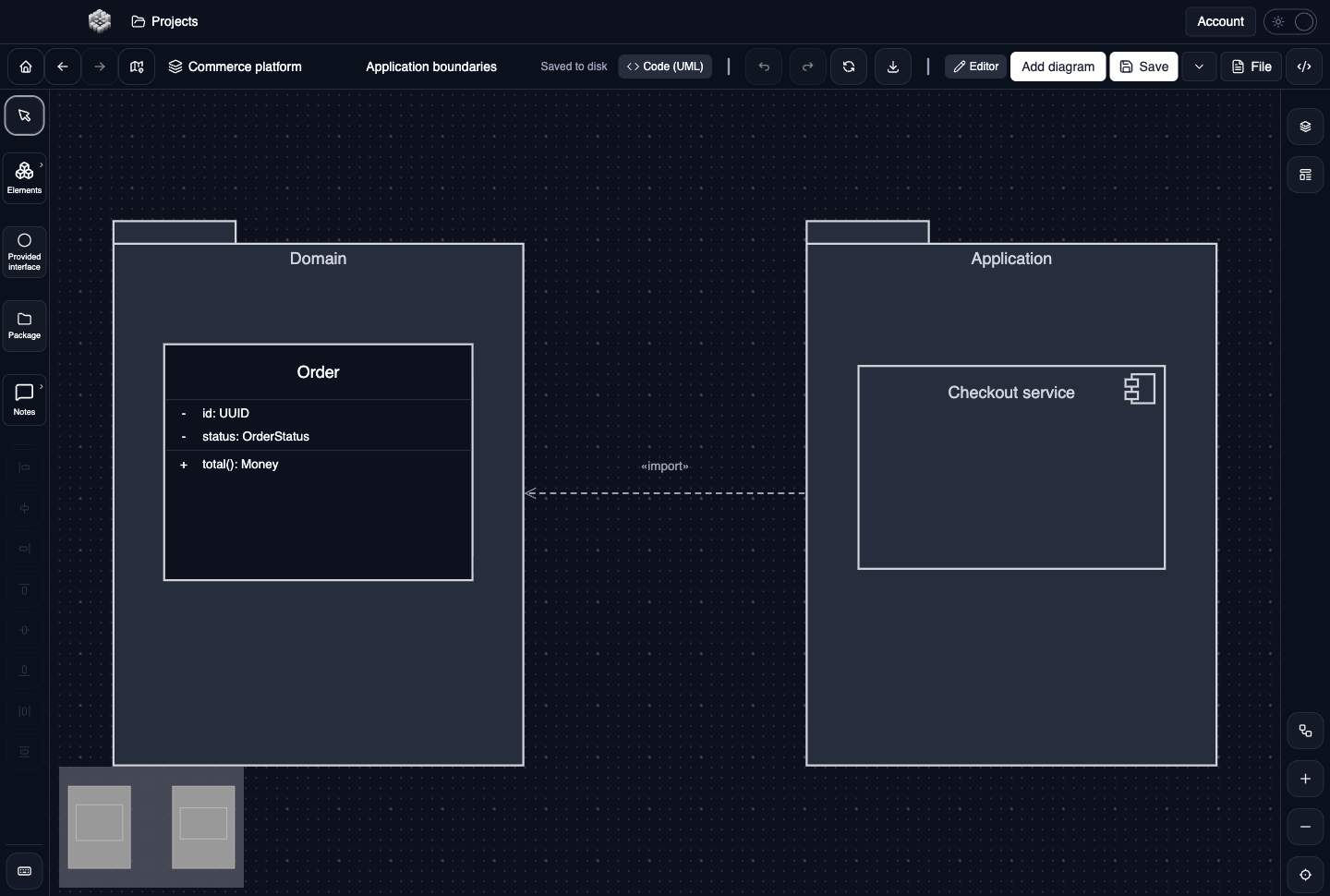
Actual UXXU Desktop screenshot of an illustrative commerce project. Open the full-size example.
The Domain and Application packages separate business concepts from application coordination. Follow the package import to see which namespace uses the other, then inspect the contained elements for the responsibilities assigned to each boundary.
Draw it in UXXU
Open an editable project, add a Code (UML) diagram, and choose Package as its UML diagram type.
- Add the packages for the model areas you want to discuss.
- Place relevant elements inside their packages, leaving clear space around the boundaries.
- Connect packages with dependencies or package imports as appropriate.
- Edit connector labels and review the direction of every arrow.
Select an element or connector to edit its properties. Use editable text for advanced notation where appropriate. Move and resize elements to keep labels readable; save your workspace and reopen the diagram to review the result. Editing availability depends on your plan or desktop licence.
Common mistakes and review checks
Do not label every dependency as an import. If the purpose is only to show that one module needs another, a dependency is often sufficient.
Before sharing, check that names are consistent, connector directions are intentional, and labels do not cover the notation they describe. Ask another reader to answer the question at the top of this guide using only the diagram.
Choose the next view
UXXU focuses on visual authoring. These guides do not imply executable UML models, automatic semantic validation, or shared UML model-element references across diagrams. PlantUML import/export compatibility is separate from visual notation coverage. Check the download page for published desktop releases.
For normative UML definitions, consult the OMG UML 2.5.1 specification.