What is a UML profile diagram?
A UML profile diagram defines a domain-specific modeling vocabulary through stereotypes and extensions of UML metaclasses. It documents how a team specializes UML concepts.
The question this diagram answers: How can a team define a domain-specific vocabulary using UML extensions?
Explore all 14 UML diagram types. Interaction diagrams are a specialized subset of UML behavior diagrams.
When to use a profile diagram
Use a profile diagram to document stereotypes and their relationship to UML metaclasses. It is useful when repeated terms such as Service or PersistentEntity need a shared definition rather than ad hoc labels.
Main elements and notation
Profile
The profile groups a vocabulary of UML extensions for a domain or method.
Stereotype
A stereotype specializes how an existing UML concept is used. Its properties can hold domain-specific information.
Metaclass
A metaclass identifies the UML concept being extended, such as Component or Class.
Extension
An extension connects a stereotype to the UML metaclass it extends. It is different from an ordinary association between domain objects.
Constraints and application
Constraints describe rules for the vocabulary; applying a profile makes its stereotypes available in the intended model context.
A real example in UXXU
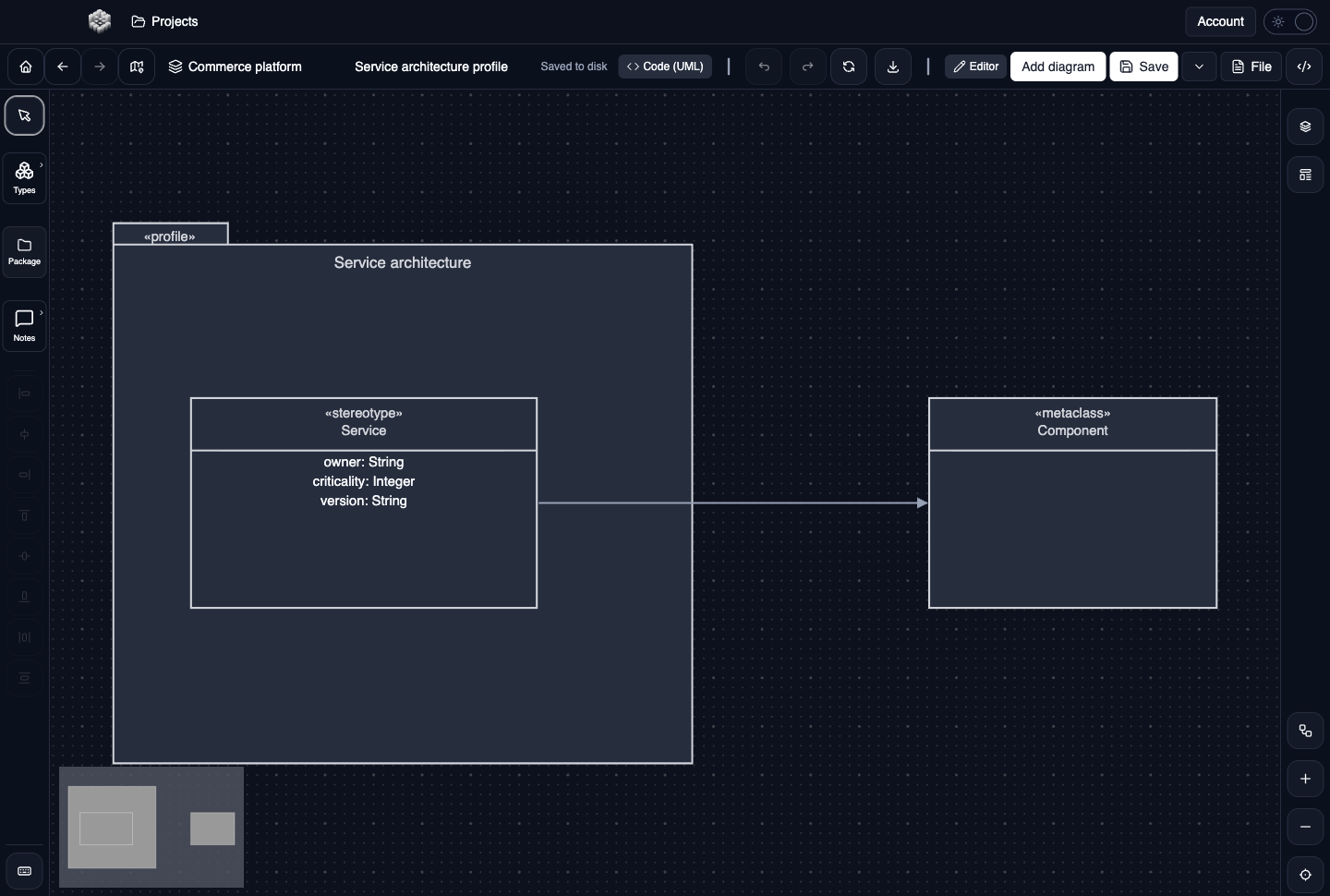
Actual UXXU Desktop screenshot of an illustrative commerce project. Open the full-size example.
The Service architecture example defines a Service stereotype extending the Component metaclass. This says how the team wants to describe certain UML components; it does not mean Service is a running component instance.
Draw it in UXXU
Open an editable project, add a Code (UML) diagram, and choose Profile as its UML diagram type.
- Add a profile container and name the vocabulary it defines.
- Add the stereotypes and their relevant properties.
- Add the UML metaclasses being extended and connect the extensions.
- Write any usage constraints as explanatory text and review them with the team.
Select an element or connector to edit its properties. Use editable text for advanced notation where appropriate. Move and resize elements to keep labels readable; save your workspace and reopen the diagram to review the result. Editing availability depends on your plan or desktop licence.
Common mistakes and review checks
UXXU lets you author the notation visually. A profile drawing does not install an executable metamodel extension or automatically enforce its constraints in other diagrams.
Before sharing, check that names are consistent, connector directions are intentional, and labels do not cover the notation they describe. Ask another reader to answer the question at the top of this guide using only the diagram.
Choose the next view
UXXU focuses on visual authoring. These guides do not imply executable UML models, automatic semantic validation, or shared UML model-element references across diagrams. PlantUML import/export compatibility is separate from visual notation coverage. Check the download page for published desktop releases.
For normative UML definitions, consult the OMG UML 2.5.1 specification.