Connected architecture diagrams
Uxxu transforms architecture diagrams into a **connected architecture map**. Instead of isolated diagrams, every view is linked to the architecture elements it represents. This allows teams to explore complex systems naturally, moving from high-level overviews to deeper technical details while always maintaining context.
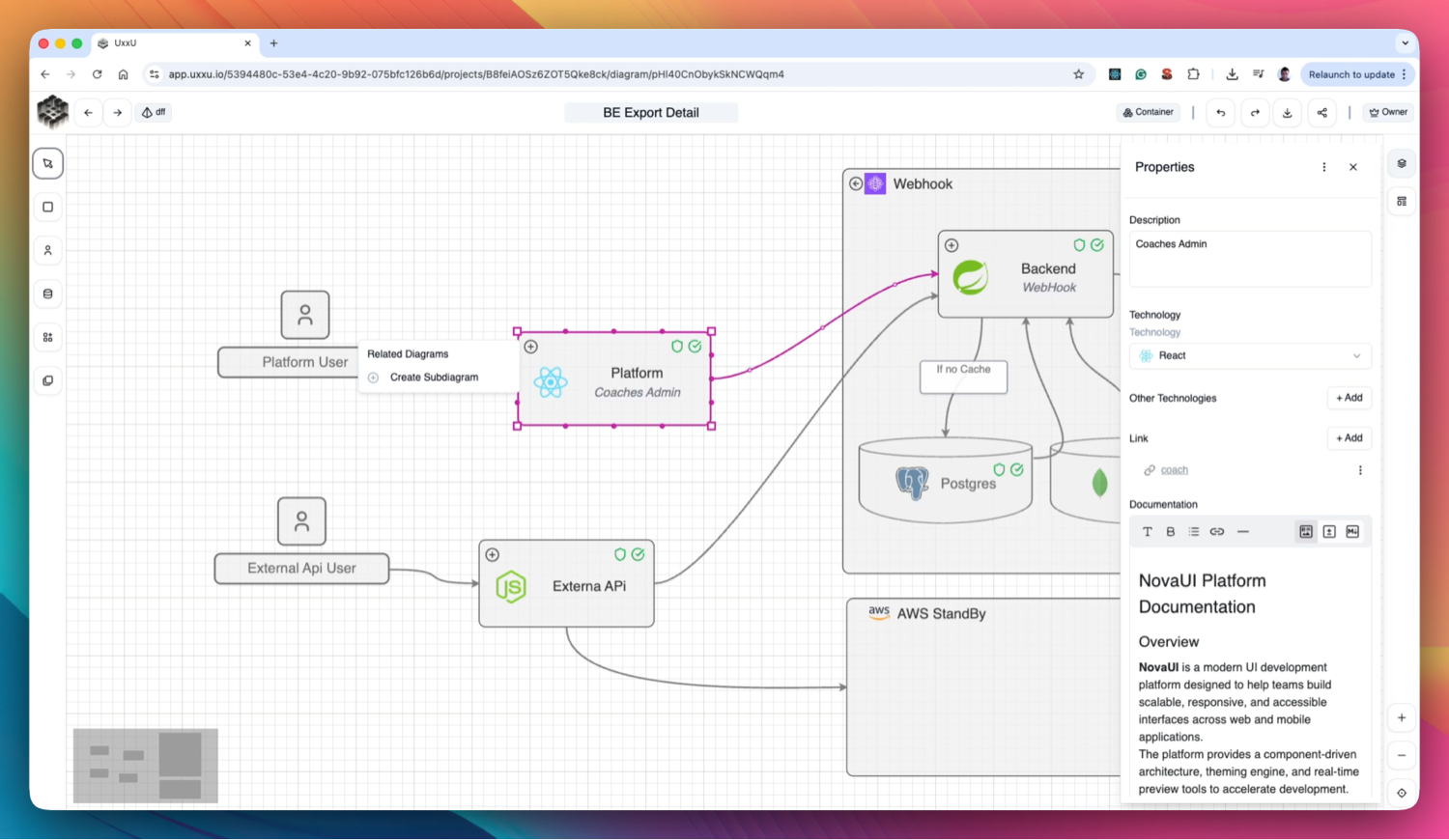
Connected Architecture
Linked Architecture Diagrams
Diagrams in Uxxu are not isolated images.
Each diagram is connected to architecture elements such as systems, containers, components, and actors, ensuring consistency across views.Drill Down into Details
From a system context diagram, teams can create container diagrams and component diagrams that explain how systems work internally.Each level adds more detail while remaining connected to the overall architecture.
Sub-Diagrams for Deeper Views
Systems, containers, or applications can have subdiagrams that provide deeper explanations of their internal structure, dependencies, and workflows.Explore Architecture Like a Map
Navigation works similarly to Google Maps:- Start with a high-level architecture overview
- Zoom into systems
- Explore containers and components
- Understand internal interactions
This makes complex architectures easier to explore and understand.
Architecture That Stays Connected
Because diagrams share the same architecture elements, updates remain consistent across all views.
This prevents duplicated diagrams and ensures your architecture remains accurate over time.
Why Connected Diagrams Matter
Traditional architecture diagrams are static and disconnected.
Uxxu turns them into a navigable architecture map, helping teams explore, understand, and maintain complex systems more easily.