Managing Deprecated Tech with Only Whiteboard Records
 by Guillermo Quiros March 13, 2026
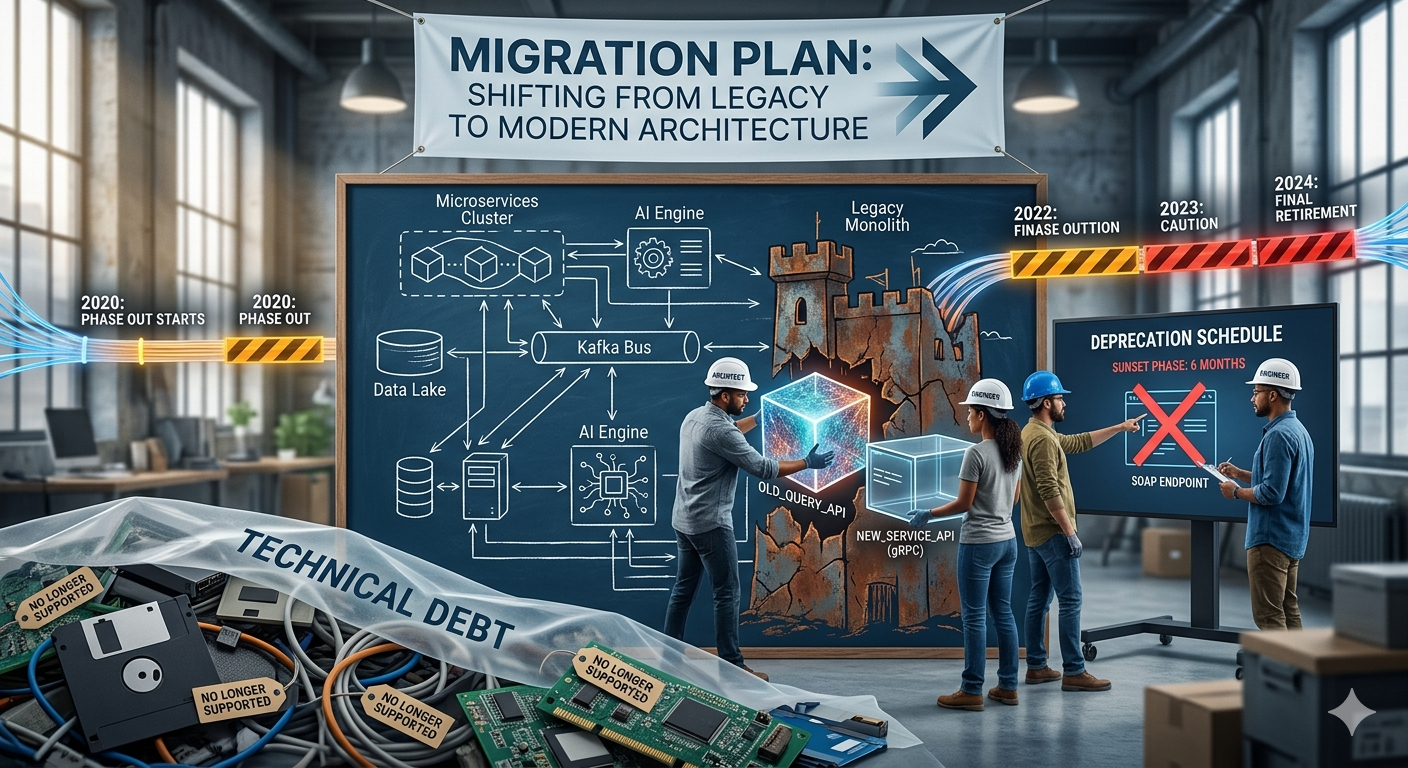
Whiteboard architecture diagrams erase history every time they are updated. When a technology is replaced, its name disappears from the board. When a service is retired, its box is removed. This makes it easy for deprecated technologies to remain hidden inside legacy components and forgotten integrations — unnoticed until they cause security incidents, operational failures, or expensive emergency migrations.
This article explains why whiteboard-based architecture hides deprecated technologies, what risks this creates, and how structured architecture modeling with technology lifecycle tracking solves the problem.
Key Takeaways
- Whiteboards erase history: deprecated technologies disappear visually even when they still exist operationally
- Hidden deprecated tech introduces security, operational, and maintenance risks
- Structured architecture modeling tracks technology lifecycle stages: Future, Production, Deprecated, Removed
- Pairing architecture diagrams with technology metadata reveals hidden legacy dependencies
- Visibility enables planned, incremental modernization instead of reactive emergency migrations
The most dangerous technologies in your system are often the ones no one remembers.
The Disappearing History Problem
One of the biggest risks of relying on whiteboards for architecture documentation is what happens to old information.
When a technology is replaced, its name is erased.
When a service is removed, the box disappears.
When a dependency changes, the arrow is redrawn.
At first glance, this seems normal. Architecture evolves, and diagrams change to reflect the current system.
But something important gets lost in the process.
History disappears.
Whiteboard diagrams rarely preserve the past.
Once erased, there is no record of:
- technologies that were previously used
- integrations that once existed
- services that were partially removed
- dependencies that still exist in hidden parts of the system
Over time, this lack of history creates blind spots in the architecture.
Why Deprecated Technologies Rarely Disappear Completely
In theory, replacing a technology should be straightforward.
A new system is built.
The old system is retired.
Everything migrates cleanly.
In reality, things rarely happen this way.
Deprecated technologies often remain hidden inside the architecture.
For example:
- legacy background jobs still run on old frameworks
- forgotten APIs still call outdated services
- old databases remain connected to reporting tools
- integrations with third-party systems continue using legacy protocols
Because these dependencies are not always visible, organizations assume that the migration is complete.
But the old technology is still there.
Just harder to see.
The Hidden Cost of Forgotten Technology
When deprecated technologies remain inside the architecture, they introduce several risks.
Security Risks
Outdated frameworks often stop receiving security updates.
If vulnerabilities are discovered, they may never be patched.
This makes legacy components a potential entry point for attacks.
Operational Risks
Older technologies may rely on infrastructure that is no longer maintained.
Examples include:
- unsupported operating systems
- legacy database engines
- outdated container images
If something fails, recovery may become difficult or even impossible.
Maintenance Complexity
Developers often struggle to maintain systems built on technologies they no longer understand.
Documentation may be missing.
Libraries may be obsolete.
Tools may no longer run in modern environments.
This creates technical debt that grows over time.
Why Whiteboards Hide These Problems
Whiteboard diagrams focus on the present moment.
They show what engineers believe the architecture looks like today.
But they rarely capture:
- the lifecycle of technologies
- migration progress
- dependencies across multiple systems
Each time the diagram is redrawn, obsolete technologies disappear visually even if they still exist operationally.
This creates the illusion that modernization is complete.
In reality, the architecture still contains hidden legacy components.
The Need for Technology Lifecycle Visibility
Managing architecture effectively requires understanding not only what systems exist, but also what technologies power them.
Every technology used in an architecture typically moves through a lifecycle.
Common stages include:
- Future – technologies being evaluated or planned
- Production – technologies actively used in the system
- Deprecated – technologies scheduled for replacement
- Removed – technologies no longer used
Tracking this lifecycle helps teams understand where modernization efforts are needed.
Without visibility into lifecycle status, deprecated technologies remain invisible until they cause problems.
Architecture and Technology Should Be Documented Together
Many architecture diagrams focus only on structure:
- systems
- services
- containers
- dependencies
But the technologies behind these elements are equally important.
A container might represent:
- a Node.js service
- a Java microservice
- a Python worker
- a legacy .NET application
Without capturing these details, architecture diagrams fail to communicate one of the most critical aspects of the system:
the technology stack itself.
When technologies are mapped alongside architecture, teams gain a much clearer picture of modernization needs.
Discovering Technology Lifecycle Through Architecture Modeling
I began exploring this concept after reading architecture guidance on Uxxu.
What stood out was the idea that architecture diagrams could be more than visual explanations.
They could also become a source of operational insight.
Instead of simply drawing services, systems could include information about:
- technologies used
- lifecycle status
- dependencies across the architecture
This transforms architecture documentation into something far more useful.
Seeing Legacy Technology Clearly
After experimenting with structured architecture modeling using the Uxxu platform, something surprising happened.
Technologies that we believed were gone started appearing in the model.
Not because they were newly discovered, but because the architecture was finally being examined systematically.
We identified:
- background services still running outdated frameworks
- integrations depending on deprecated APIs
- legacy components that had been forgotten during migrations
Once these technologies became visible, we could finally address them.
Planning Modernization Instead of Fighting Emergencies
When deprecated technologies are invisible, modernization becomes reactive.
Teams only discover problems when something breaks.
A server fails.
A dependency stops working.
A vulnerability appears.
This leads to emergency migrations, which are expensive and risky.
By contrast, when technology lifecycle is tracked within architecture documentation, organizations can plan migrations strategically.
Teams can:
- prioritize which technologies to replace first
- track progress across multiple systems
- understand which services depend on legacy components
Modernization becomes incremental and controlled rather than chaotic.
Architecture Documentation as a Strategic Tool
The real lesson here is simple.
Architecture documentation should not only explain how systems are connected.
It should also reveal:
- what technologies power those systems
- where legacy dependencies remain
- which components require modernization
When architecture models include this information, they become a powerful tool for managing technical debt.
Instead of rediscovering old technologies repeatedly, organizations maintain a clear record of how their systems evolve.
Conclusion
Whiteboard diagrams are useful for quick discussions.
But they are unreliable records of long-term architecture.
Because whiteboards are constantly erased and redrawn, they hide the history of technologies used in the system.
This makes it easy for deprecated tools to remain unnoticed inside legacy components and forgotten integrations.
By modeling architecture alongside technology lifecycle, organizations gain visibility into where outdated technologies still exist.
This visibility makes it possible to plan migrations gradually, reduce technical debt, and maintain systems more safely over time.
Architecture documentation should not simply describe the present.
It should help teams navigate the past and plan the future of their technology stack.
Frequently Asked Questions
What does it mean for a technology to be deprecated in software architecture?
A deprecated technology is one that has been officially marked for replacement but may still be running in parts of the system. Deprecated technologies continue to operate — they have not been fully removed — but they are no longer actively developed or supported. In architecture terms, a technology moves through stages: Future, Production, Deprecated, and Removed. Tracking this lifecycle makes it possible to identify which components are at risk before they cause incidents.
Why do deprecated technologies often remain hidden in architecture?
Deprecated technologies stay hidden because architecture diagrams — especially whiteboard sketches — focus on what teams believe the system looks like today, not on the history of what was changed. When a service is "replaced," its entry is erased from the diagram even if legacy background jobs, forgotten APIs, or old database connections still use the original technology. Without structured tracking, these remnants accumulate silently.
How can teams discover which deprecated technologies still exist in their architecture?
The most effective approach is to document architecture using a structured model that pairs each component with its technology stack and lifecycle status. When systems, containers, and components are all tagged with the technologies they use, it becomes possible to filter the entire architecture by lifecycle stage — surfacing every component still running on a deprecated technology, even ones that teams assumed had been replaced.
What is the difference between deprecated and legacy technology?
A deprecated technology is one that has been formally identified for replacement, with a planned path to removal. A legacy technology is a broader term describing any older technology that is still in use, often without a clear modernization plan. In practice, many legacy technologies were never formally marked deprecated because their presence was never tracked — they simply remained after the system around them evolved. Structured architecture modeling helps surface both categories.
How does technology lifecycle management reduce technical debt?
Technology lifecycle management reduces technical debt by making modernization work visible and plannable. Instead of reacting to failures, teams can proactively identify deprecated components across the architecture, understand which systems depend on them, and prioritize replacement in a controlled sequence. This turns emergency migrations — which are expensive and risky — into incremental, well-understood work tracked alongside the rest of the architecture model.